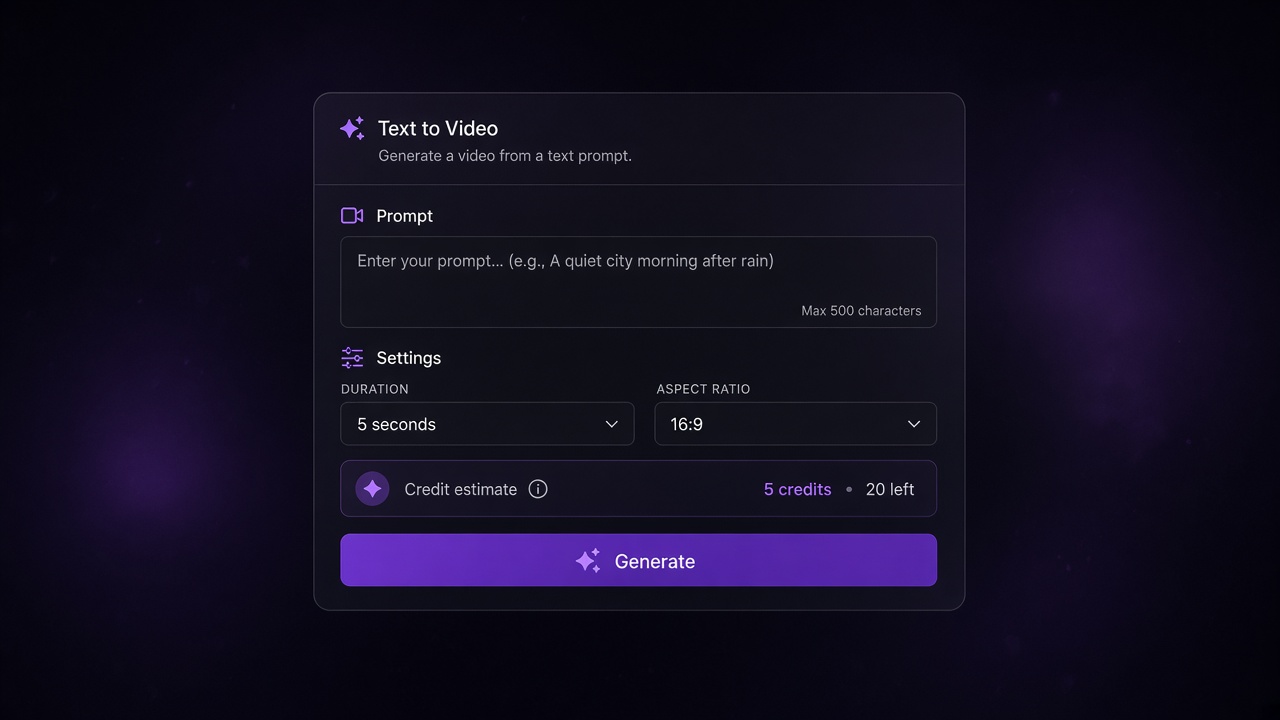
If you are searching for free Veo 3, the short answer on the free Veo 3 generator on veo-3.app is this: you can open the Free generator and start a text-to-video or image-to-video task, but every run is metered in credits. Before you submit, the UI shows a credit estimate. When the free allowance is gone, you continue with paid credits or a plan—details stay on Veo 3 pricing and credits, not in a third-party “trial” guide.
This page is only about this site. It is not a walkthrough for Google Gemini, Google Cloud, or other vendors’ free trials.
What “free Veo 3” means on this site
On veo-3.app, “free” means you can reach the product Free entry, pick a workflow, and see what a generation will cost before it runs. It does not mean unlimited high-end output with no balance.
Free allowance vs paid credits
Think in two layers:
- Free entry — Open the generator from the homepage Free path, choose your mode, and review the estimate.
- Credits — Each task deducts from your balance. Lite usually costs less than Fast; Quality costs more at the same resolution. Exact numbers change with model and settings, so treat the on-screen estimate as source of truth, and use the tables on Veo 3 pricing and credits when you need current plan sizes and per-task rates.
Paid plans and one-time packs refill that balance. Compare allowance, validity, and billing on the pricing page rather than memorizing a blog number that can go stale.
What free does not include
- Not unlimited Veo 3.1 Quality at 4K with no credit check.
- Not a promise that every model and resolution stays free forever.
- Not a tutorial for unlocking Veo somewhere else. If you need prompting, models, and revisions in depth, use How to Make AI Videos with Veo 3: Prompts, Models, and Revisions instead of stretching this credits page into a second howto.
How to start generating on the free tier
You do not need a separate “free tool” site. Stay on veo-3.app and open the same generator the product markets as Free.
Open Text to Video or Image to Video
- Go to the free Veo 3 generator on veo-3.app.
- Choose Text to Video when the scene is open-ended, or Image to Video when a still must lock subject and framing.
- Add a clear prompt (and image inputs when needed), pick model and output options, then read the estimate before you start.
If your main job is animating one still—start frame, optional end frame, motion notes—skim How to Turn an Image into a Video with AI for that workflow. Keep this article focused on free access and credits.
Lite, Fast, Quality, and credit use
The generator currently surfaces Veo 3.1 Lite, Fast, and Quality (plus other models listed on-site). Rough mental model—confirm live rates on pricing / in the estimate UI:
- Lite — lower credit cost; good for drafts and volume tests.
- Fast — mid tier for quicker iteration.
- Quality — higher credit cost; save it for hero shots after the prompt works.
Resolution and duration also move the estimate. Changing one variable at a time (model or resolution or prompt) makes each paid revision informative instead of burning the free balance on unrelated experiments. Confirm live rates on the homepage FAQ and the pricing tables—do not treat any blog number as permanent.
Credits, plans, and when free runs out
Credits are how this site prices different tasks fairly. A short Lite clip and a long Quality clip are not the same job, so the generator prices them before you commit.
Reading the credit estimate before you generate
Before submission, the UI shows the estimated task charge. Use that number the way you would a checkout total:
- Match it to your remaining balance.
- If the estimate is higher than you want, drop resolution, switch Lite ↔ Fast, or shorten the ask—then re-check.
- After free balance is gone, open Veo 3 pricing and credits for Mini / Standard / Plus (and packs if shown), compare allowance and validity, then top up.
Do not rely on a screenshot in this article for plan prices; the pricing page is the live source.
Common mistakes that burn credits fast
- Jumping straight to Quality + 4K for a first prompt test.
- Regenerating the whole clip when only one line of dialogue or camera move needed a tweak.
- Mixing unrelated prompt changes so you cannot tell which edit worked.
- Ignoring the estimate until after a failed batch.
A cheap habit: lock one draft on Lite or Fast, then spend Quality credits on the version you already like.
FAQ and next step
Is Veo 3 free forever on this site?
You can keep using the Free generator entry, but generations still consume credits. Free allowance is not the same as unlimited paid output. When the balance hits zero, buy a plan or pack on Veo 3 pricing and credits if you want to continue. Terms and allowances can change; always re-check the live pages.
Free AI Video Generator vs Free Veo 3 Here
A generic free AI video generator result often means a roundup of many tools, or a third-party trial post. Free Veo 3 on this site means: same product Free entry, Veo 3.1 (and listed) models, Text to Video / Image to Video, and a credit estimate tied to Veo 3 pricing and credits. If you only need “any free clip from any model,” a roundup might suffice; if you specifically want Veo 3 workflows with transparent credits, stay on veo-3.app.
Next step: open the free Veo 3 generator on veo-3.app, run one Lite draft, read the estimate, and only then decide whether to keep iterating or buy more credits.